Grocery wayfinding · iPhone
SelfScout
An iPhone prototype for finding groceries with AR.
Demo
What I built
I’m building SelfScout to help shoppers locate products in an unfamiliar supermarket. The iPhone prototype connects a grocery list, mapped product stops and camera-based directions. Shoppers add items, review their stops, follow the route and confirm each collection.
Adding groceries, setting a starting point
and following the recorded route.
Context
Why I started this
A grocery list records what to buy, but not where to find it. In an unfamiliar store, finding one product can still leave the shopper searching shelves or returning to an aisle for the next.
I used a three-item trip—milk, pasta and coffee—to define the prototype’s main task: add the list, navigate between product stops and track what has been collected.
The purpose is to explore whether directions linked to the list can reduce searching and backtracking. That is a question for the upcoming store trial, rather than an outcome I have measured.
Solution
How I made it
I used SwiftUI for the interface and shopping-list state, and ARKit for camera motion tracking. I connected the earlier search, basket and AR-test screens into one flow. Locations come from a prepared or recorded map; the camera does not recognise products.
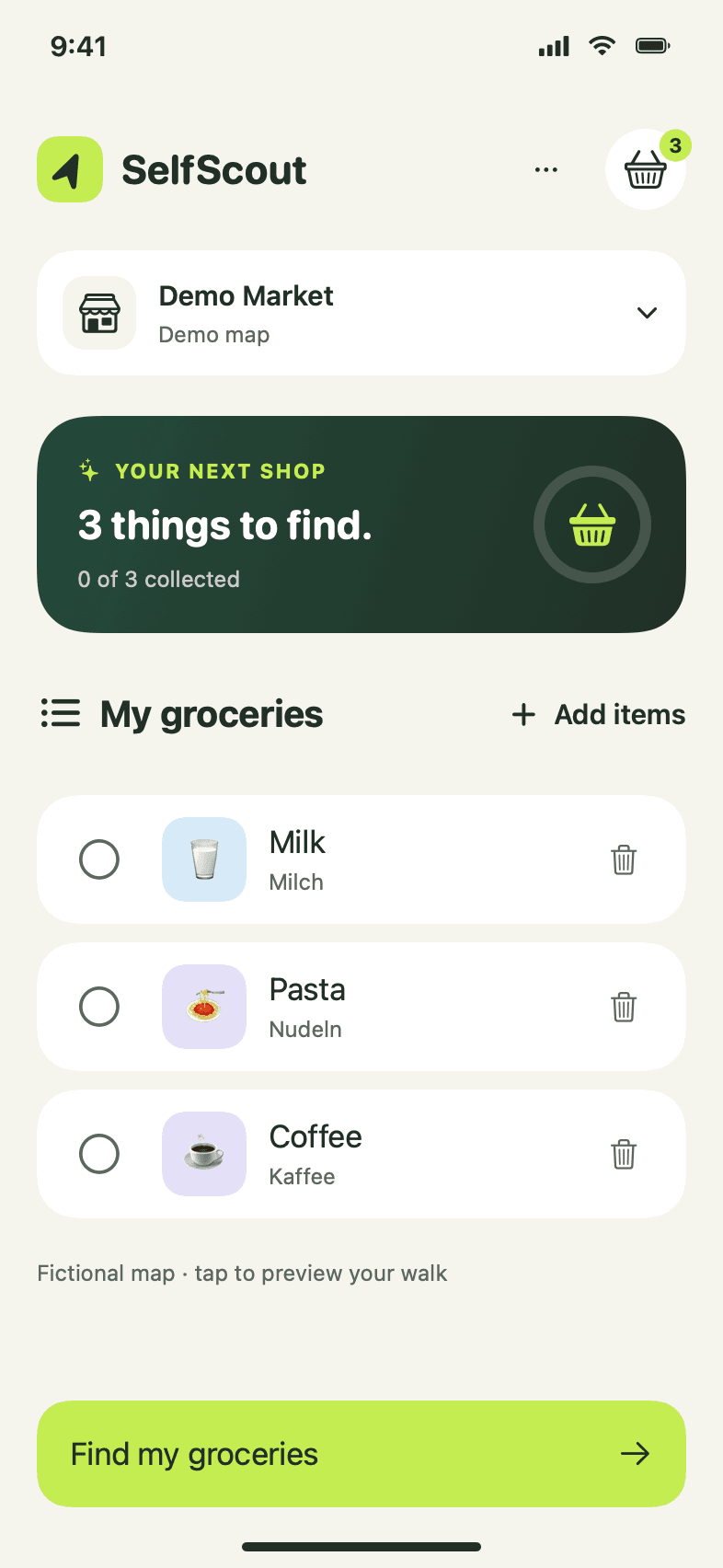
Build and edit the list
Shoppers add several groceries together and remove unwanted items directly. Every item still to collect enters route planning.
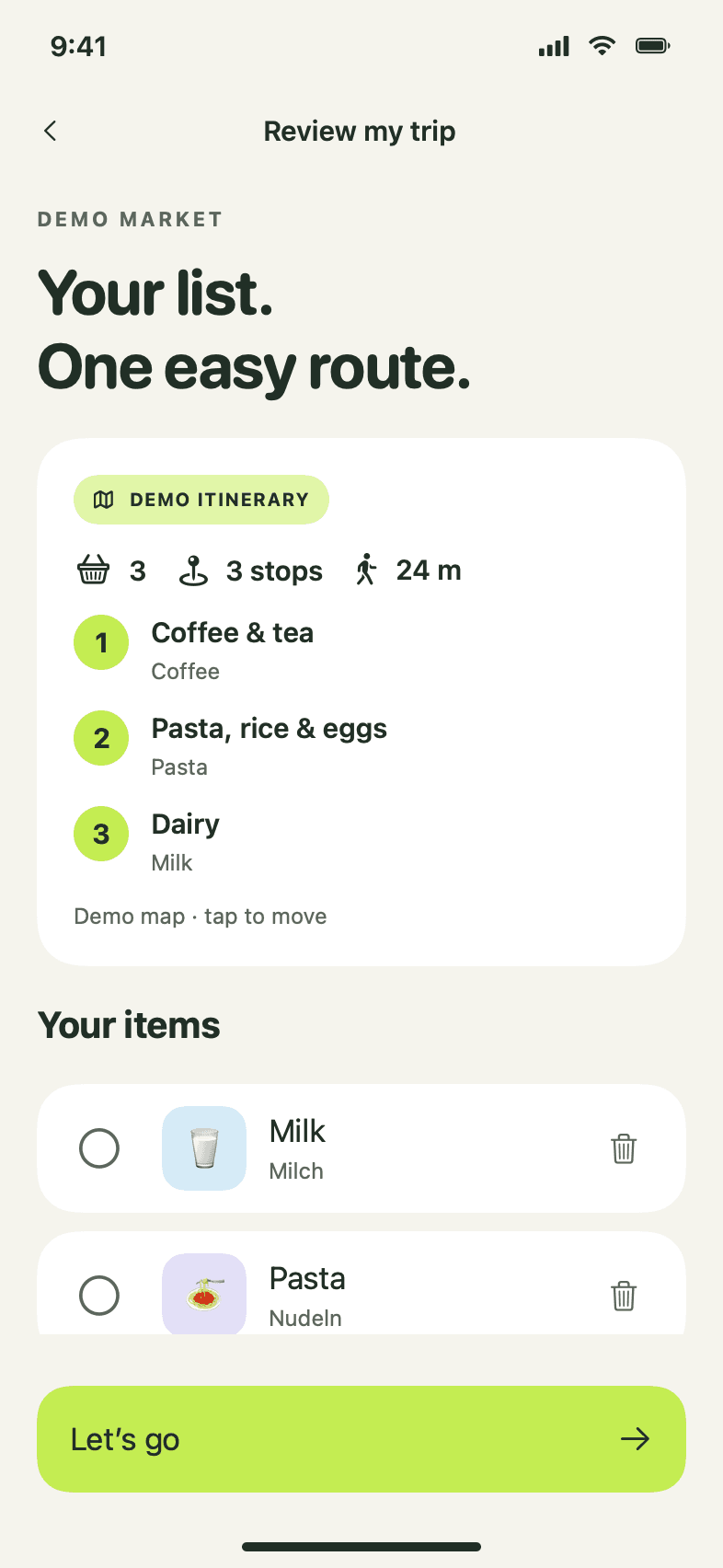
Plan from recorded locations
The mapping tool records turns and product stops in one walk and saves the map on the phone. Routing follows those walked paths and groups products at the same shelf.
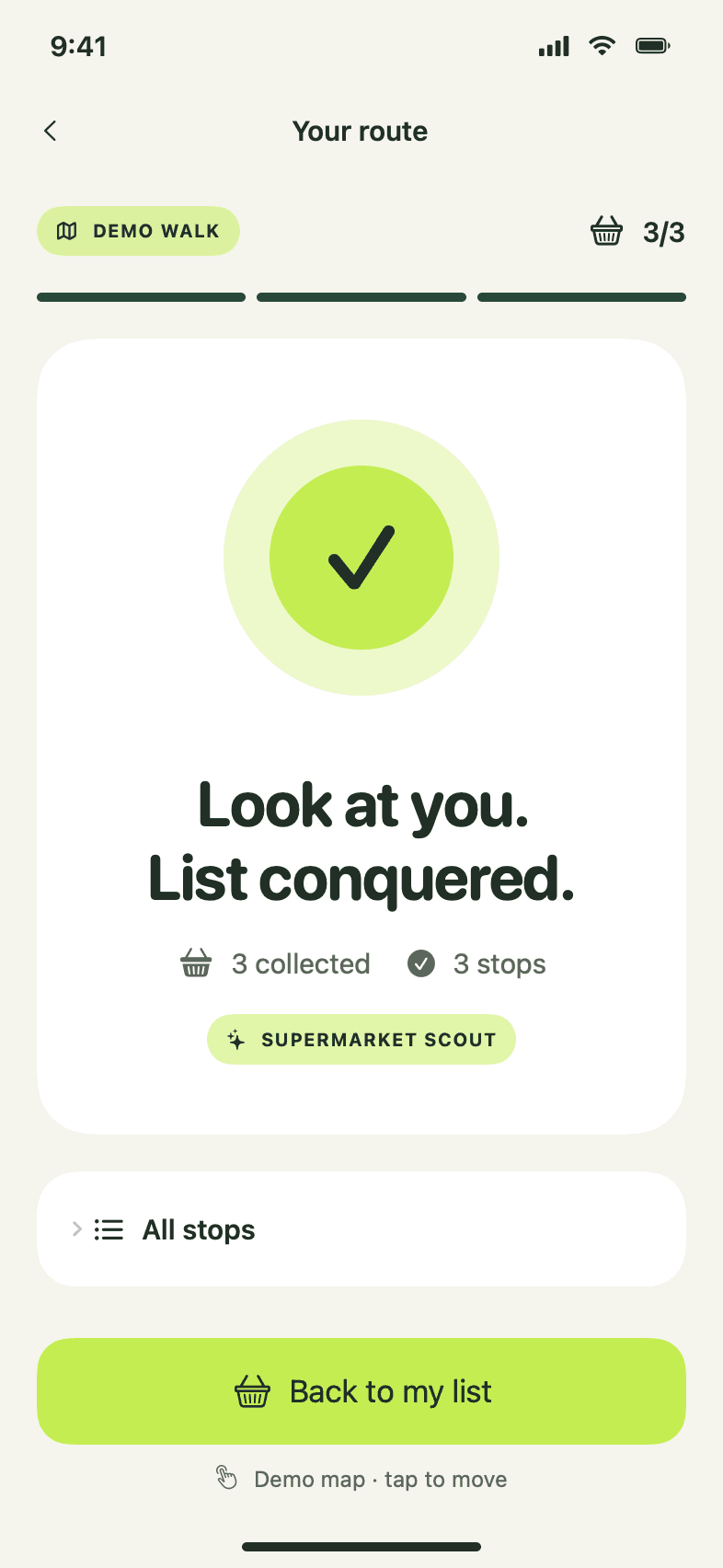
Follow, collect and continue
After manual entrance alignment, ARKit tracks movement along the route. Guidance pauses for collection, then continues to the next product without reopening the camera.
Static SwiftUI previews from the interface iteration. The camera journey and mapping flow have since been connected; fresh phone footage is next.
Testing
What I have tested
During a controlled iPhone test, the turn label said left while the arrow pointed right. I revised the direction calculation and checked that the cues agreed as I moved through the test waypoints.
Camera tracking tested in a controlled space.
The complete new journey and real-store trial are still pending.
Live guidance now uses a prepared practice layout or product stops recorded in one walk. It starts with manual entrance alignment. Automatic indoor localisation, product recognition and stock data are future work.
What has been checked?
The Xcode simulator build succeeds and 31 core checks pass, including route continuity, map persistence, collection gating and interruption recovery. These checks do not establish in-store accuracy or time savings.
Reflection
What I need to validate
Next, I will test the complete flow with three products in a mapped store, observing wrong turns, backtracking, collection and recovery after tracking interruptions. The prototype still needs reliable repeat alignment and testing by people other than me.
Build credit: ChatGPT and Codex supported interface exploration, code implementation, debugging and case-study editing. Concept, product direction and hands-on testing: Chandrika Sanapati.